
# Availabilities computation
# General idea
We start from the technician's calendar, which is made of events happening at certain times.
In a perfect world, the technician is available at all the other times. It's possible to book an appointment anywhere in the calendar spaces:
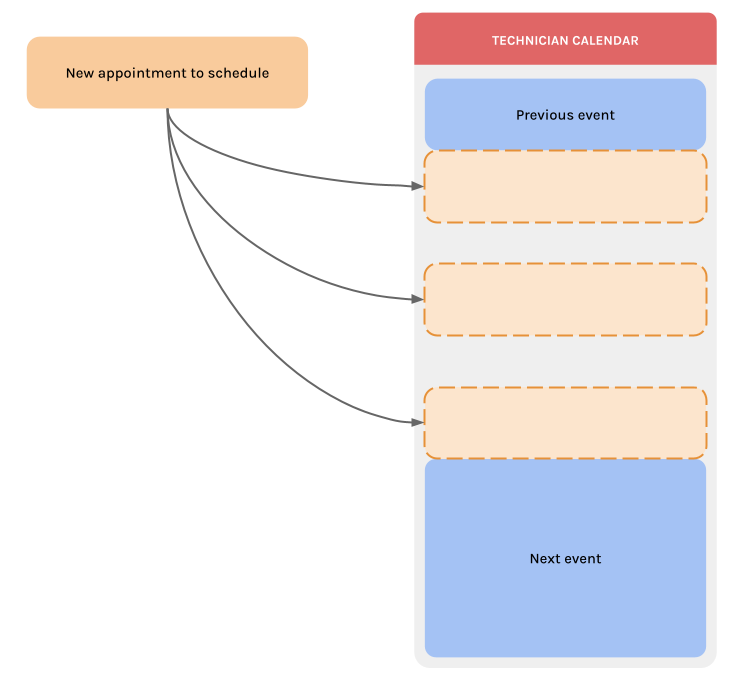
However this is not realistic: a lot of external factors and business rules lead to the impossibility of having an event right after another/before one (the travel time between the two for instance).
This is where Calizy comes into play: by taking into account these factors and rules in its algorithm, Calizy computes the true technician's availabilities. If an appointment is booked inside an availability returned by Calizy, then the corresponding technician has enough time in his calendar to perform the appointment.
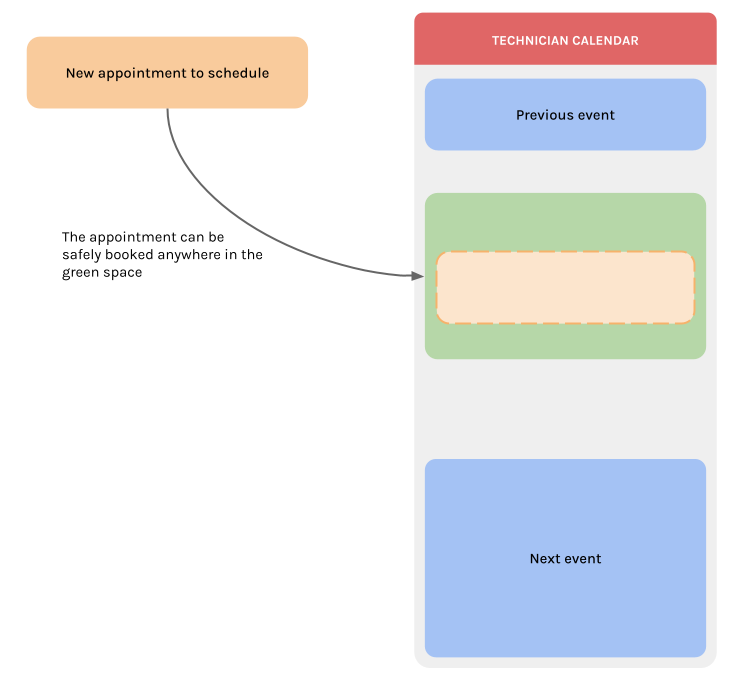
To compute these availabilities, Calizy uses these inputs:
- travel time
- working hours
- lunch break
- reserved slots
- unavailabilities
- technician status
# Travel time
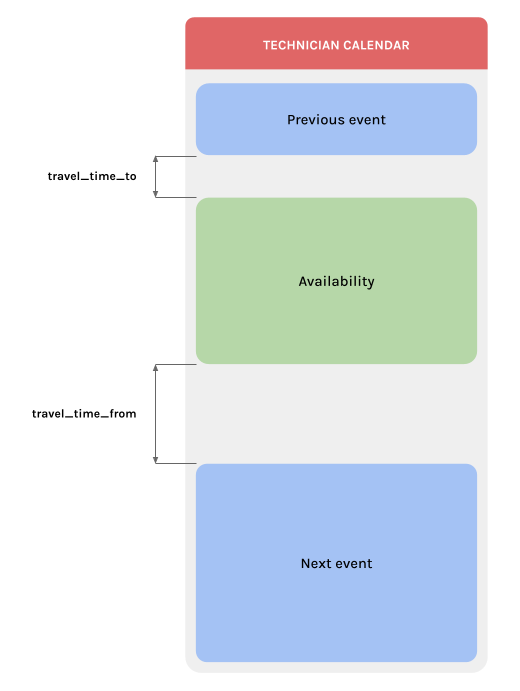
For each space in the technician calendar, Calizy uses the Google APIs to get the travel times between:
- the previous event and the appointment to be booked, let's call it
travel_time_to - the appointment to be booked and the next event, let's call it
travel_time_from
NOTE
Calizy retrieves travel times without tolls.
RULES
- If there is no address attached to the previous/next event, Calizy uses the company's address as a fallback for the travel times.
- If there is no event before or after (the calendar space is at the boundaries of the calendar/working hours), Calizy uses the company's address as a fallback for the travel times.
These travel times are then rounded to the next 15 minutes, and used to compute the availability:
# Working hours
Working hours are a technician setting in Calizy. They are used to define starting and ending hours in which the technician can have appointments.
Example: If on Mondays, a technician has working hours from 08:00 to 17:00, then it's only possible to book him an appointment between 08:00 and 17:00 on Mondays.
For more information on working hours, see LINK TO WORKING HOURS SETTING
RULE
It's not possible to book an appointment outside of the technician's working hours.
# Lunch break
Lunch break is an extension of working hours: it represents a period in the middle of the day, in which it's not possible to have an appointment.
RULE
It's not possible to book an appointment during a technician's lunch break.
# Lunch break and travel time
# Reserved slots
Reserved slots are used to bypass existing technician events.
For example, if the technician MUST be available for appointments every Friday from 08:00 to 12:00, then you can create a reserved slot every Friday from 08:00 to 12:00. If the technician creates events during a reserved slot, then these events will be ignored in the availability computation.
These slots in which the technician must be available are often negiotiated with the technician's company, and several rules apply to them. These rules are implemented in Calizy, and are here to prevent last-minute appointments in reserved slots:
RULES
- Reserved slots cannot be created within the next 10 days, only after.
- When a reserved slot is happening in 10 days, it is automatically deleted.
# Unavailabilities
Unavailabilities are used to define periods of time in which the technician cannot perform any appointment, due to various reasons: sickness, training, holidays, etc.
RULES
- It's not possible to book an appointment at the same time of an unavailability.
- A reserved slot cannot be created on top of an unavailability.
- If an unavailability is created at the same time of a reserved slot, then the reserved slot is automatically deleted.
# Resource status
It's possible to manually toggle if a technician can or cannot have appointments. This setting can be useful if you know the technician will not be available for a long period of time, or if he will sonn leave his company.
RULE
If a technician is marked as not having appointments, then it's not possible to book him any appointment.